
PDF Print Orders
Preview, Download, and Email a Single Order Document
Choose the right document and complete a preview, PDF download, or customer email for one order.
Use this workflow when one specific order needs a document immediately.
1
Verify the entire order row
- Confirm order number, customer, date, total, payment, and fulfillment.
- Stop if any value differs from Shopify Admin.
- Resolve missing customer or address information before generation.
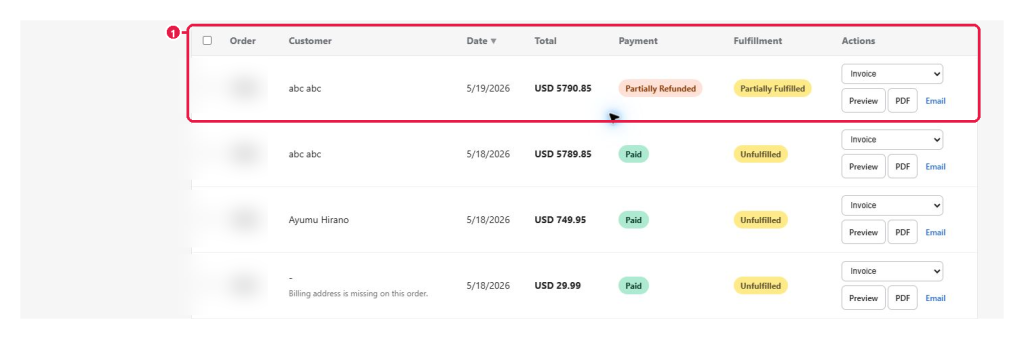
Expected result: Every visible order value matches Shopify Admin.
2
Choose the correct document type
Select Invoice for the commercial record, Packing Slip for fulfillment, Receipt for proof of payment, or Refund when refund data exists. Marker 1 identifies the selector without hiding the order statuses.
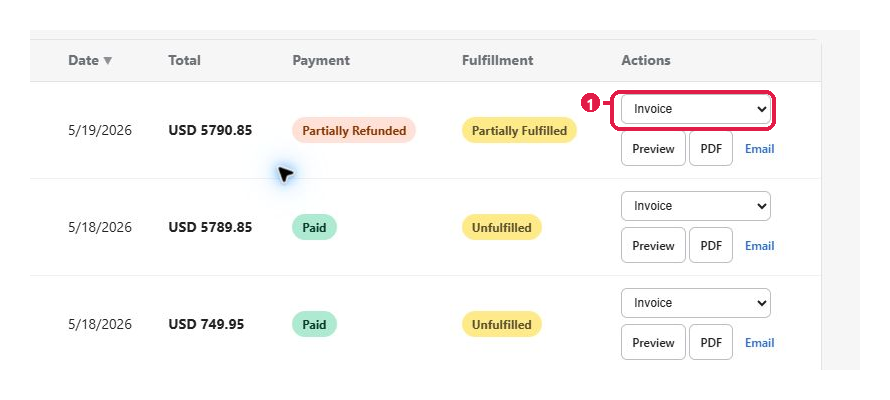
Expected result: The intended document name appears in the selector.
3
Choose Preview, PDF, or Email
- Use Preview at marker 1 for final review.
- Use PDF at marker 2 to download.
- Use Email at marker 3 only after confirming the recipient.
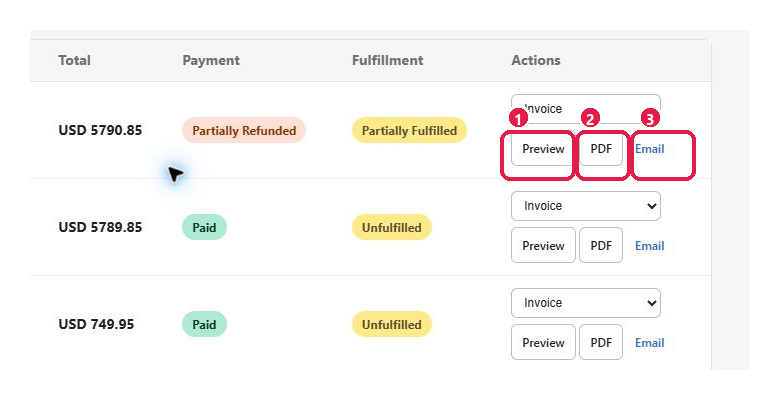
Expected result: The selected action completes without an error and uses the approved document.
Tip: Never email before checking customer, address, currency, and totals in Preview.
This guide was last updated on July 13, 2026.